Mudanças entre as edições de "Modelo Desktop - Painel de Configurações"
| Linha 68: | Linha 68: | ||
rect 875 590 962 680 [[Modulo Desktop - Painel Configuracoes - Regiao Metropolitana|Região Metropolitana]] | rect 875 590 962 680 [[Modulo Desktop - Painel Configuracoes - Regiao Metropolitana|Região Metropolitana]] | ||
</imagemap> | </imagemap> | ||
| + | |||
| + | |||
| + | |||
| + | <!doctype html> | ||
| + | <html lang="en"> | ||
| + | <head> | ||
| + | <meta charset="utf-8"> | ||
| + | <title>jQuery UI Dialog - Animation</title> | ||
| + | <link rel="stylesheet" href="http://code.jquery.com/ui/1.10.3/themes/smoothness/jquery-ui.css"> | ||
| + | <script src="http://code.jquery.com/jquery-1.9.1.js"></script> | ||
| + | <script src="http://code.jquery.com/ui/1.10.3/jquery-ui.js"></script> | ||
| + | <link rel="stylesheet" href="/resources/demos/style.css"> | ||
| + | <script> | ||
| + | $(function() { | ||
| + | $( "#dialog" ).dialog({ | ||
| + | autoOpen: false, | ||
| + | show: { | ||
| + | effect: "blind", | ||
| + | duration: 1000 | ||
| + | }, | ||
| + | hide: { | ||
| + | effect: "explode", | ||
| + | duration: 1000 | ||
| + | } | ||
| + | }); | ||
| + | |||
| + | $( "#opener" ).click(function() { | ||
| + | $( "#dialog" ).dialog( "open" ); | ||
| + | }); | ||
| + | }); | ||
| + | </script> | ||
| + | </head> | ||
| + | <body> | ||
| + | |||
| + | <div id="dialog" title="Basic dialog"> | ||
| + | <p>This is an animated dialog which is useful for displaying information. The dialog window can be moved, resized and closed with the 'x' icon.</p> | ||
| + | </div> | ||
| + | |||
| + | <button id="opener">Open Dialog</button> | ||
| + | |||
| + | |||
| + | </body> | ||
| + | </html> | ||
Edição das 09h36min de 24 de dezembro de 2013
 |
« Voltar a Área de Trabalho | « Principal
 Painel de Configurações
|
|---|
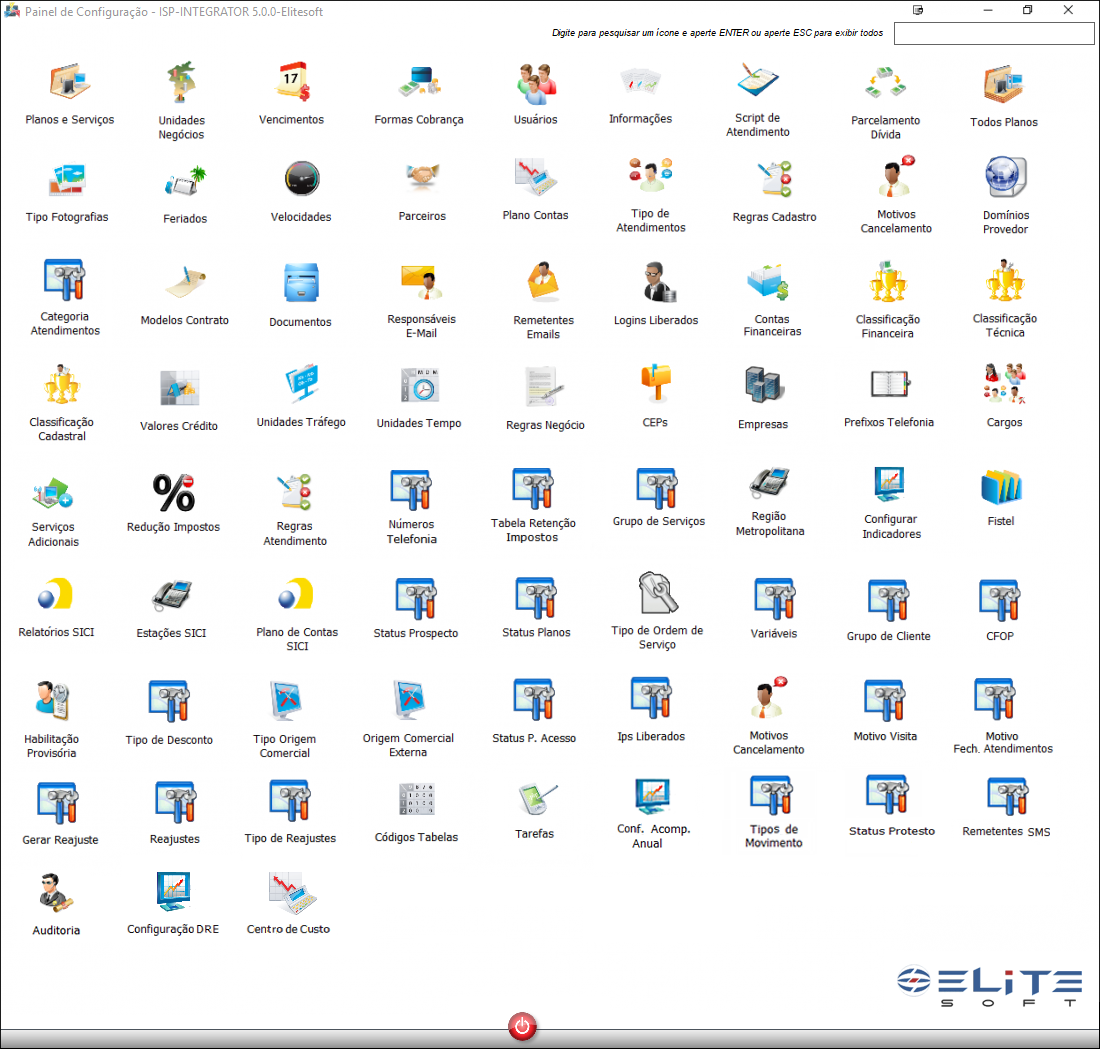
Basta clicar em uma Imagem do Painel de Configurações para carregar a documentação adequada.
|
|---|

<!doctype html>
This is an animated dialog which is useful for displaying information. The dialog window can be moved, resized and closed with the 'x' icon.

